Blog

Archive of blog posts from the original site, presented from newest to oldest.

Ubuntu (7.10) on Dell Laptop

I put Ubuntu 7.10 Desktop on a spare laptop at work (Dell Latitude D400). I immediately notice the hard drive clicking problem discussed recently in the media regarding Ubuntu (Slashdot).

More specifics:

Ubuntu Bug Report

For fear of killing the drive prematurely, I decided to apply one of the suggested fixes. I used the “99-hdd-spin-fix.sh” method described in the bug report above. That definitely stops the clicking. Unfortunately, it totally disables auto parking of the head/spin down (or whatever actually happens during a LOAD_CYCLE). This is confirmed from running:

smartctl -d ata -a /dev/sda | grep 193;

I’m guessing that 99-hdd-spin-fix could be less aggressive by using a lower value for “hdparm -B”. However, one individual that posted to the bug report had difficulty mapping actual behavior to the 0-255 possible values.

Finally, I decided to leave it as is but I enabled ENABLE_LAPTOP_MODE in /etc/default/acpi-support. I think this is a nice solution because I normally have the laptop plugged in and don’t need the aggressive hard drive power management. However when unplugged I like the idea of having more power as well as keeping the hard drive head parked nearly as often as possible (for fear of bumps/drops that might crash the drive). Seems to work so far and queries with smartctl seem to confirm everything.

An unrelated problem I ran into was that the laptop could NOT hibernate or go into standby. This was solved by disabling compiz under: System->Preferences->Appearance:Visual Effects.

Read full post

Schadenfreude

Definition: Schadenfreude. Noun. German origin.

: to derive pleasure from the embarrassment of those who don’t know what ‘schadenfreude’ means when used in casual conversation.

Read full post

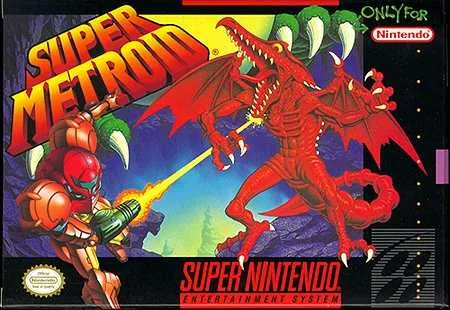
Super Metroid

Smetroidbox

I recently purchased Super Metroid for the Nintendo Wii (originally on the Super Nintendo). As big a gamer as I was back in high school during the release of Super Metroid, I somehow managed to miss playing this one. Years later I would occasionally hear people heap praise onto this game as one of the greatest ever released. I’m glad to finally get the opportunity to play it. My only complaint to Nintendo is that they should have released Super Metroid a few weeks before Metroid Prime III rather than just a few days. As it is, I will likely put Super Metroid playing on hold while I tackle Metroid Prime III (which I’m picking up after work today).

I have played (and beaten) several of the other Metroid games. It’s easy to see just how much influence Super Metroid has on many other games in the series—especially Metroid Prime for GameCube and the GameBoy variations. In some ways, I am disappointed in how much similarity there is. It’s like hearing a cover of an already great song before hearing the original. Somehow you end up missing out on enjoying the experience of listening to the original to the fullest.

The key game play experience that Super Metroid provides is this notion of backtracking. As you explore the game world, you will find that you cannot reach every area, open every door, or kill every enemy. However, you will eventually find an item like jump boots, a particular gun, etc., that will allow you to overcome previously encountered obstacles. So in this context, backtracking is going back and forth through the game world to find the items you need to explore deeper into the world.

Backtracking has been the tenet of Metroid games since the beginning of the series. As far as game critics go, backtracking has been controversial in general but in my opinion Metroid has generally done it right. From the game developers’ perspective, backtracking is useful because they get the most bang for their buck in terms of content development. Since the gamer keeps traversing the same areas in the virtual world, that means artists and level designers can justify spending more time on polishing the content and making it more interactive. If done right, backtracking can also be satisfying to the gamer because they will notice how their skills improve over time in the same areas. Enemies that were once very difficult become easier to defeat as the gamers strategies and weapons/armor improve. Additionally, there is the reward of overcoming obstacles and being able to explore more of the virtual space. Done wrong, the user can find the backtracking tedious and boring and become largely disoriented trying to figure out which way to go next.

So far, Super Metroid has proven to have just the right balance of backtracking versus forward progress to maintain a fun game experience. There are several crafty puzzles in the game. All the weapons and items are Metroid staples, but they are still fun to acquire and use. Some items were actually introduced in Super Metroid, but as they were reused in later games they are not new to me. Bosses are huge and visually impressive given the capabilities of the Super Nintendo. However, I do find the strategies to beat them a bit contrived and monotonous (though it’s rare for me to make differing observations of bosses in other games).

As it is, I’m probably only a third of the way through the game. So far I can say that Super Metroid is definitely deserving of its praise, especially when you consider it was originally released in 1994. If you’re like me and have played most of the other more recent Metroid games already then you might not be quite so impressed, but it’s definitely worth the $8 to download and play on the Wii.

Read full post

Amazing Rabbit

This video is pretty neat. Shows a rabbit that repeatedly avoids capture from a hawk. The rabbit pulls off some impressive moves including jumping over the hawk.

Watch video

Read full post

Secret Fun Park: IAAPA

It occurred to me that I should follow up about the IAAPA tradeshow which I mentioned in the last post. IAAPA stands for the International Association of Amusement Parks and Attractions. They typically have a yearly tradeshow that moves around to various cities.

The cool thing about the tradeshow is that it’s like visiting a theme park or carnival on the cheap, no screaming kids, and very little waiting in line! Back when it was in Atlanta, several of my friends and I went and had a lot of fun. It was open to the public and we didn’t have any trouble with the fact that we were just a bunch of college guys and not bigwigs with a bankroll to buy any of the games/rides/cooking equipment on display. I can only imagine that the reason we got in so easily is because not enough people know enough about it for the show to get overrun with non-industry folks. I think the trade show entry fee was like $25 which was probably on par with the cost of a Six Flags ticket at the time. However, we got to eat all the carnival food we could hold down so it was actually cheaper than the typical Six Flags visit. Plus, I would say it was a much more unique experience and A LOT less waiting in line.

During our experience, we got to play all kinds of arcade games for free and rarely did we have to wait to play anything. We also rode on a few small-sized carnival rides that could fit in the Georgia World Congress Center. Additionally, there were some quite big rides in the Georgia Dome next door. I remember we rode on a giant Ferris wheel type thing, only it was two arms instead of a complete wheel. We almost went up in the rafters of the Dome it was so big! There was also a free fall type ride and a human slingshot. Some other cool things included motion platform games and a really cool Apache helicopter simulation game that was actually built from the same hardware used in military training. Another area of the show that was fun to check out was the special effects section for haunted houses.

I mentioned the food earlier. Part of the show floor is covered by food vendors and fast food cooking equipment. Of course, all of them have food samples. I think we ate hot dogs, pizza, ice cream, Dippin’ Dots, funnel cake, cotton candy, cookies, you name it! It’s a miracle we survived such gluttony. Probably the only reason we did make it out of there is that we showed some restraint so as not to get sick on the rides.

I can definitely recommend being on the lookout for when and where the tradeshow is going each year. If it comes by your area and the tradeshow entry fee is still cheap enough, get a bunch of friends together and head over. I think it’s in Orlando, FL this year.

Read full post

Guitar Hero encore Rock the Eighties

guitar_hero

I just picked up Guitar Hero encore Rock the Eighties (dead link removed, see below). I’ve been a big fan of the series and was so glad to see the original GH come out; especially after I played a guitar arcade game at an IAAPA tradeshow several years ago (it was probably Guitar Freaks). Unfortunately, GHeRE just doesn’t live up to my expectations. The set list isn’t all that great. I haven’t unlocked all the songs yet, but so far the songs have just been so-so with the occasional good one thrown in the mix. For comparison’s sake, I’d say the set list is inferior to that found on the popular 80’s rock anthology album,

Monsters of Rock (dead link removed, see below)

. Though there’s definitely some overlap and some of the songs that would be appropriate for the 80’s game have already appeared in GH 1 and 2. Also, the song covers appear to slowly be degrading in terms of quality and accuracy as compared to the original recordings when we go from GH1 to GH2 and on to GHeRE.

Furthermore, changes from GH2 are really nonexistent other than new songs. All the same animations are used with just some “re-skinning” of the models for appropriate 80’s attire. Also, there are no bonus indy band songs that can be purchased from the virtual store like in GH 1 and 2.

Realistically, GHeRE can be described as an expansion pack in terms of the entertainment value. Back when the PC was the only platform to find good games, an expansion pack was a $15 or $20 software package that expanded a game you already bought with additional levels to play that didn’t really equate to a completely new game (expansion packs still exist today but typically only for PC games). If I had paid $20 for GHeRE instead of $50, I would have no complaints about the product. The reality is that $50 is simply too much money for the game.

I suspect that Activision/Red Octane may have even mulled over the idea of releasing GHeRE as an expansion pack. However, expansion packs don’t really make sense on a game console like the PS2 probably largely because it can confuse consumers that can’t figure out that they need to own both the original as well as the expansion to play the new content. There may also be technical limitations with disc swapping and such to authenticate ownership of the original product. Also, retailers are reticent to put bargain priced software on their shelves. Finally, if a fully playable GHeRE was priced at $20, then this would potentially cut into GH 2 sales. But enough making excuses for the game…

While I will say I am still enjoying the game for the same reasons I enjoyed GH 1 and 2, I can’t help but to begin to feel like Red Octane et al are milking the franchise for all it’s worth with no concern for sustainability.

Maybe they will come out with a 5/6 piece drum set controller and game soon and freshen the genre a bit.

Read full post

CGI Woes Under IIS 6

At my lab, we just consolidated some web servers and we ran into some problems with a CGI application for online surveys called Perseus SurveySolutions that stopped working. I think it’s version 5. We were getting a “CGI misbehaving” error which is a 502.2 in the log files. For IIS 5, in addition to the 502 generic error message I used to be able to see all output to stdout (and probably stderr) in my browser window. Unfortunately, IIS 6 does not allow the output to be displayed.

I had a hunch that the program was crashing and printing something other than a valid header such as “Content-type: text/html” (and two newlines). Unfortunately, the program ran just fine from the command line.

Luckily, after much searching I found mention online of an “nph-“ prefix that can be placed at the beginning of an executable CGI (.exe) that will allow all output to be sent to the browser (example: nph-foo.exe). The NPH is for “no parsing of headers” apparently. You’ll probably get a file download dialog when using this trick and the default file name to save will end with “.exe” the same as your CGI executable; however this is actually text (assuming your CGI only outputs text) so just change the extension when you save. Also, if you have web service extensions enabled then you will have to explicitly give permission to your “nph-.exe” so that it can be run by IIS.

Once I did this I got some informative errors that Perseus (which is compiled Perl) was trying to write to “C:\WINNT\Temp\pdk-IUSR_IMTCWWW” and was failing due to permissions. The problem was that IUSR is the restricted user that executes CGI and didn’t have permissions to write to its temp directory. I suspect this had something to do with an in-place OS upgrade or the copying of files from one server to another and that directory was a leftover from a previous install. In any case, just deleting the directory and letting it be recreated fixed the problem!

Here’s where MSFT’s limited documentation of “nph” resides:

Info about NPH in IIS 6 (dead link removed, see below)

And here’s an informative newsgroup post from a msft employee about configuring CGI executables in IIS 6.

Newsgroup Post about CGI under IIS 6

(2nd post by David Wang [Msft] is the one to read)

Finally, here is a program I didn’t use but sounds like it could be useful for debugging CGI. It’s basically a Lint program for CGI.

CG-EYE

  • http_//support.microsoft.com/kb/q176113

Read full post

HDD Health

I’ve been using some hard disk monitoring software to get reports from my hard drive about its health using “Self Monitoring and Reporting Technology” (SMART). Most HDDs support SMART. You can get reports about various errors, and get predictions of when the drive is expected to die. Right now, mine is predicted to die 3/8/2008 due to “power on hours.” However, I’m also concerned about my “raw read error rate.”

I’m using freeware HDD Health v2.1 build 159 from Panterasoft for my WindowsXP machine at work. I haven’t set up drive monitoring on my Ubuntu machine at home yet. HDD Health appears to work just fine. My only complaint is that my “raw read error rate” changes fairly often and everytime this value changes, a pop-up notification window appears. This can be a bit annoying.

This (dead link removed, see below) competing product website (costs money for their software) has an informative FAQ about SMART stats.

The Wikipedia article above has some suggestions for the most important metrics, but I think spin-up time should also be an important parameter to watch for, since it will possibly indicate failing motors/bearings. Finally, this Google paper has some interesting analysis of SMART statistics. One conclusion they made is that SMART stats are not accurate for predicting failure.

Read full post

DreamHost

Note to self: DreamHost looks like a good option for cheap web hosting. I’ll have to look into it more, but I like the idea of having MYSQL.

Read full post

Open Source Data Security Tools

This is just a list of a few of my favorite security tools (generally for Windows), along with descriptions.

Password Database

Keepass is a good option for an encrypted database of all your passwords. It’s an open source project. There is official support for Windows and PocketPC. There are unofficial ports to OSX and Linux. In addition to password authentication, Keepass optionally supports keyfiles for unlocking the database. You can put the keyfile on a USB keychain to create a two-factor authentication system.

Encrypted Volumes

Truecrypt is an excellent open source tool for creating encrypted volumes on Win2k (and up) machines. It also works with Linux. Once mounted, an encrypted volume appears as another (virtual) hard drive on your machine. Authentication methods include password and/or keyfile (for two-factor auth). The actual encrypted volume can be stored as a file, an unformatted hard drive partition, or even an unallocated portion of a hard drive. A Truecrypt volume file can be on pretty much anything including hard drive, USB thumb drive, or network path. A thumb drive can be configured so that all the executables/dlls needed for encryption/decryption are on the drive unencrypted (so you can mount it anywhere). However, I believe you need admin privledges to run the executables and mount the volume.

Secure Erase

Eraser is a good open source tool for erasing files so that they cannot be recovered by any means. It includes a scheduler and can wipe “empty space” as well as files. Eraser is primarly useful to me at work for it’s ability to make a “nuke” floppy disk for wiping a machine before surplussing an old computer. The nuke disk is an image of a tiny Linux OS with menu options for wiping the hard drives after you boot the disk.

*Data Integrity *

wxChecksums is a pretty good checksum calculator for Windows. It can compute MD5 and SFV checksums, which isn’t really a security process exactly but is often associated with the topic. The wxChecksums software includes a shell extension that can be installed optionally. Security/encryption software often provides MD5 checksums on their project webpages for a crude form of authentication of the source of the file, as well as data integrity of the download. PGP signatures are better, but MD5 is better than nothing.

Read full post

Backing up Music CDs

I’ve recently become interested in backing up my CD collection. A lot of my favorite CDs have suffered from repeated loading into my car CD player with its damaging feed mechanism. Some will need to be replaced, but hopefully I can back most of them up before they are completely ruined. I’ve ripped all of them at one point or another in various formats, compression rates, and with various ripper software packages, but I never put much thought into making accurate back-ups.

Lossless Storage with FLAC

One thing I knew going into this project is that I would need to find a lossless data storage format in order to have a perfect back-up. FLAC appears to be the ideal solution. It is lossless (meaning that FLAC-compressed data can be decompressed back to the exact original) and it has a respectable compression ratio for this type of compression. Also, FLAC is pretty well supported by both desktop music software and portable media players. Finally, FLAC is open source. Therefore, I have little worry that the file format will become obsolete and unusable years down the line. Now FLAC isn’t supported on everything, and it takes up a lot of space. However, the idea is that from your perfect back-up you can transcode to another format such as MP3 for storage on an ipod, for instance. If newer formats come into existence down the line, you can again transcode to the newer format (so long as you maintain the original FLAC back-ups). You never have to worry about re-ripping your CDs with this approach.

Best CD Ripping Software?

The next order of business is the actual ripping of the CDs. Unfortunately, getting the music off of a CD accurately is not as simple as just copying a file from the disc to your hard drive. CDROMs can literally get off track while reading, misread due to dirt and grime, or encounter other kinds of problems. The ideal CD ripping software should be able to recognize problems and reread the CD or apply corrections to the data stream as needed.

Exact Audio Copy (EAC) does this, and is generally the favorite tool of audiophiles (at least according to my research). Unfortunately, EAC is closed source and only runs under Windows. The open source CD Paranoia (CDP) is available for Linux but doesn’t have all the features of EAC. CDP is command-line only; however there is an excellent Gnome-based GUI app that uses CDP called Grip. Even if you are using Linux, EAC can be run successfully via WINE.

If you want the most accurate rips possible, you should also use Accuraterip with EAC. Accuraterip can run as a plug-in for EAC and works by comparing a fingerprint (CRC check) against a remote database of fingerprints that many other users got when ripping the same CD. This approach lets you determine with a high level of certainty whether you have a perfect rip of your CD.

Most Accurate Back-up

Another issue regarding ripping is whether you rip a CD as individual tracks on the disc or as a continuous image of all the audio on the disc. It’s not as much of an issue as it used to be, but some MP3 players will have noticeable pauses or other audio anomalies between tracks while playing several songs in a row. (Many recent players can handle this situation with unnoticeable or barely noticeable transitions.) One solution is to rip the entire CD as one big file. There is also the fairly rare issue of “hidden” tracks on CDs. If you want to make sure to capture all the data on the disc, you’re often better off ripping as one big file.

The problem with this single big file approach is that individual tracks are no longer denoted. However, a solution is available with the use of CUE sheets. This is a secondary file that provides a table of contents for the position of the beginning and end of each track. All in all the issues necessitating single file backup plus CUE sheets probably aren’t that big a deal but it appears many audiophiles do this for perfect CD back-ups.

While ripping as a single FLAC file with an accompanying CUE sheet (I’ll just call this FLAC-CUE from now on) is a great way to back up a CD, it is unfortunately less than ideal for playback. Very few software or hardware media players can handle CUE sheets coupled with any type of audio file. The popular Linux player, Amarok, can handle CUE sheets, but it only uses them to show you the name of the current song within a single large FLAC file. You cannot jump straight to any particular track, nor can you shuffle the songs. Fubar2000 for Windows is apparently one of the few players that have full support for CUE sheets.

The only real practical solution is to transcode from FLAC-CUE to single tracks of another format. The obvious disadvantage is that if the back-ups of your CDs are already on network attached storage then transcoding will significantly increase the amount of disc space used and will be largely redundant. Additionally, you won’t be using the high quality available to you unless you transcode to individual tracks of FLAC thus doubling the the already lofty storage requirements for your library. This problem isn’t really a big issue if you only use a portable media player for listening since you’ll have to copy the songs over to the player anyways, but it is an issue if you like to use a software player. I am hopeful that Amarok will eventually add full support for FLAC-CUE! If you don’t consider yourself a hardcore audiophile, you may want to simply back up to individually encoded FLAC files. That way, you’ll avoid all these playback issues encountered with the FLAC-CUE approach.

Copy Protection Issues

Lastly, I want to point out I’m not really sure what solutions there are for copy protected CDs. It may be that EAC already has workarounds for any copy protection. I have read anecdotes about certain CDROMs (such as one manufactured by Sony) detecting that they are being used for CD ripping and triggering a machine panic to halt your computer.

Editor’s note: Original link no longer resolves; updated to an archived copy from the Wayback Machine.

Read full post

Pictures from Temple, GA

A few weeks ago, I took a bunch of pictures at my wife’s grandparents’ home in Temple, GA. I used my wife’s camera, which is a fairly limited point-and-shoot (Canon Elph), but some of them turned out pretty nice.

One day I’d like to redo the photos with a digital SLR camera and get multiple shots across the different seasons in the garden.

hinges

cabbage

fuel

Temple, GA Complete Picture Set on flickr

Read full post